



Integrate Crowdin with Help Scout
Help Scout helps you provide great support; we make sure that support reaches your customers in any language.
The Crowdin + Help Scout integration automates the translation of your Help Scout Docs (knowledge base), eliminating manual copy-pasting and file management.
How it Works
The integration connects your Help Scout account to your Crowdin project. Once linked, it creates a bridge that pulls source articles for translation and pushes finished translations back to your help center.
Key Features & Workflows
Flexible Synchronization: Manual Sync: Select specific collections or articles and click "Sync" to import or export them. Auto-Sync: Set a schedule (e.g., daily) to automatically detect new articles or edits and push completed translations back to Help Scout.
WYSIWYG Preview: Translators work with a "What You See Is What You Get" live preview, ensuring they see exactly how the article will look in Help Scout while they work.
Incremental Updates: The integration identifies minor changes—like a single word or sentence—allowing you to update translations without reprocessing the entire article.
HTML Preservation: It handles all underlying formatting, links, and media, so your translated pages look identical to the original layout.
Content Management: Centralize all help center content within Crowdin to leverage professional tools like Translation Memory (to reuse past translations) and Glossaries (to keep terminology consistent).
The Result
Your help center stays multilingual with zero manual effort. When you update your English documentation, the integration ensures those updates flow through your translation process and reflect in all supported languages automatically.

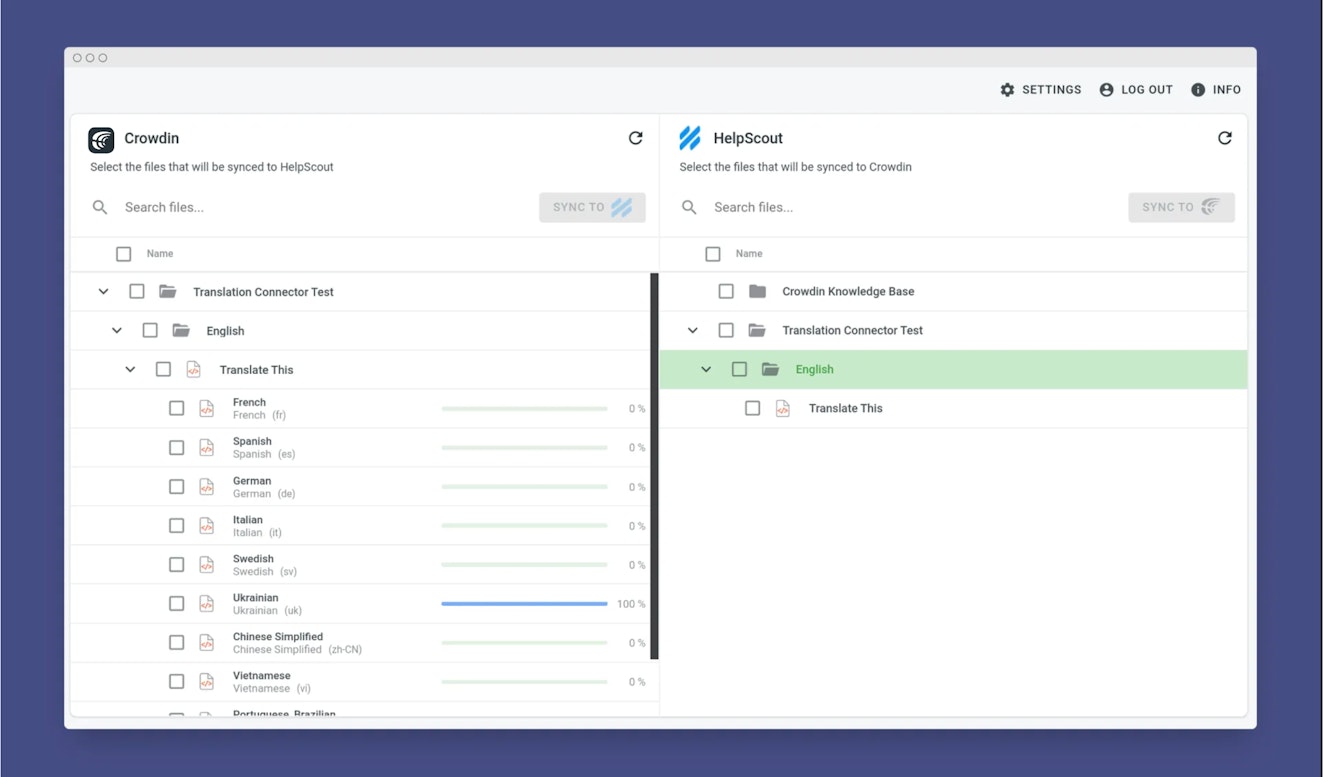
With Help Scout + Crowdin you can:
Translate Docs easily: Localize your help articles instantly.
Auto-sync content: Your latest updates sync automatically, so translations are always current.
Live preview: Translators see exactly how the page looks while they work.
Small edits, fast updates: Update a single sentence or word without any extra hassle.
Not using Crowdin yet? Learn more at https://store.crowdin.com/helpscout
Need help? Please send your questions to Crowdin by emailing support@crowdin.com





